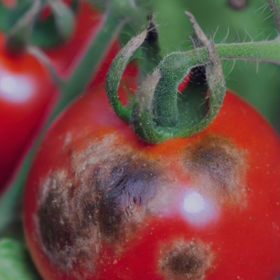
Ghana Crop Disease Detection Challenge

Helping Ghana
$8 000 USD
Completed (almost 2 years ago)
Computer Vision
Object Detection
2224 joined
344 active
Start
04 Oct 24
Close
15 Dec 24
Reveal
15 Dec 24

'/%3e%3cpath fill='%23fff' d='m8.751-17.959 10.11 11.373L3.997-9.844l13.94-6.1-7.692 13.129z'/%3e%3c/svg%3e)
Starter Notebook On kaggle with correct submission file
Notebooks · 29 Oct 2024, 09:40 · 8
what did you use train your model
Loggin into kaggle websitre and then verfiy with phone number to accesss kaggle gpu which allow you to do faster trainin code when you have acces to kaggle gpu do this https://www.kaggle.com/muhammadqasimshabbir/code?page=2 Here is link of Where this notebook present with name "zindi1-2ghana-crop-disease-detection-challenge" click on this notebook and click edit this notebooks options You have my notebooks along with loaded Data sets of this competetion as well
if you not log in kaggle then do the sing up for kaggle then you can access my notesbooks it for both Ghana Crop Disease Detection Challenge
Lacuna Malaria Detection Challenge boths challenge
Please how do you do the submission? After training the model on your notebook how do you extraxt the csv file that your suposed to upload?
If you have run it on kaggle Notebook with GPU (" if you fork my Note book") open kaggle working option on Notebook /kaggle/working/benchmark_submission.csv you will find this submission files named as benchmark_submission.csv
Also when you open /kaggle/working/ options you find submission files there and click on left side of you see The vertical kebab menu (⋮) click it show option of download and clik on it will dowload the file on local computer where you will upload it to zindi submission
the starter notebook with the correction of the submission file is not available
I think you have to look carefully the submission file is present .correctly. Today i have made a submission from notebook runinng.